DuskEngine Devlog 5 - Major IDE and Scene Changes Edition
Everything that happened in the past month:
Switched from Visual Studio to CLion + CMake
Visual Studio has been getting progressively less usable with each update, but the past two updates were an absolute disaster for Intellisense. Eventually I couldn't even get syntax highlighting to work consistently. I can only assume the vibecoding Microsoft has been bragging about doing is now being done within Visual Studio as well.
I gave CLion a try because it was the only other IDE I knew about, and so far it's been a much better experience ☺️ I especially like the clang-tidy integration being there out of the box.
To not migrate to another proprietary IDE project format, I bit the bullet now and switched to cmake, a long term goal I wrote about in past articles. I used CMake Converter to convert the .sln to a CMakeLists file and the changes I had to make manually afterwards were small so the process was quite quick and painless.
The dependencies are still those I was using previously, with hardcoded paths and everything, so I'm not yet taking full advantage of the cmake integration, but I'll make that transition as I go. CMake was a goal so that I'd be able to simplify builds across platforms (Windows, Mac, eventually Linux, Web, mobile etc), but the thing I'm most looking forward to is building for Steam Deck, because it's the only device with an AMD GPU that I own, and so far I've only tested the engine on Nvidia (and Mac).
More trees and other scene additions
Here's the main scene at the time of writing. It's no longer a mass of just green and brown:
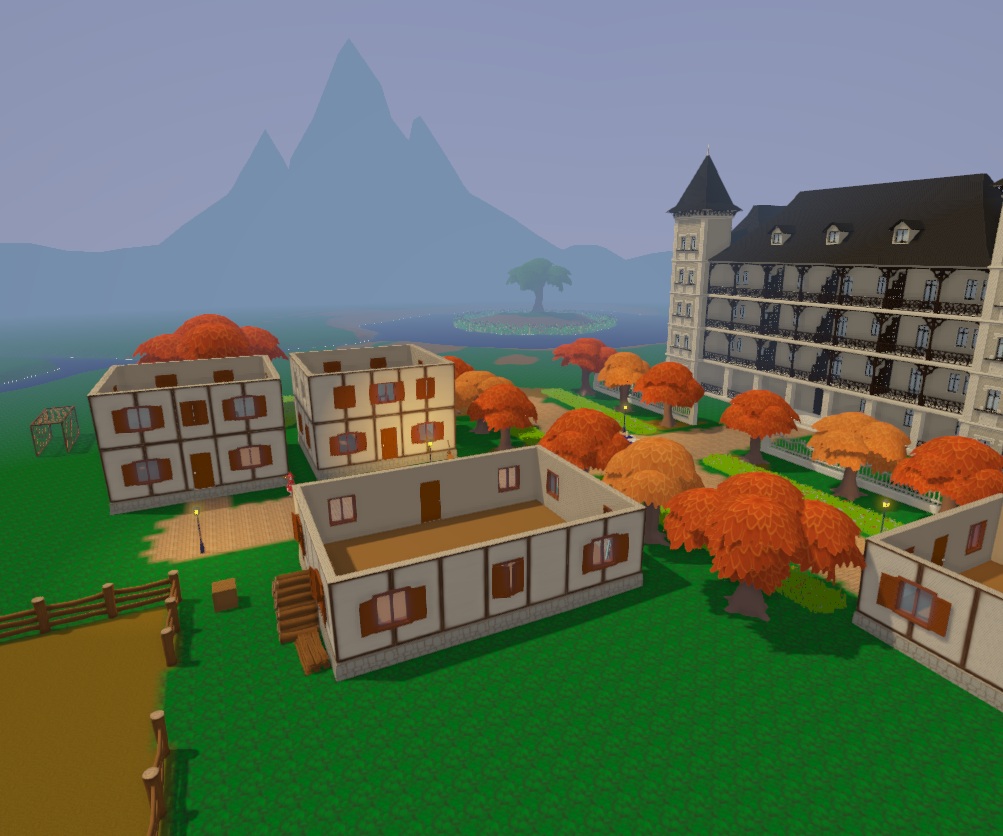
There's now yellow and orange, too. Why no roofs? 'cause I haven't made any yet, and to use them effectively I also need to enhance the renderer a bit first, to have properly lit interiors...
Note the backdrops (the mountains and hills, they're simple untextured meshes), and the linear fog that makes backdrops possible with little effort in the first place, but also contributes to atmosphere on its own.
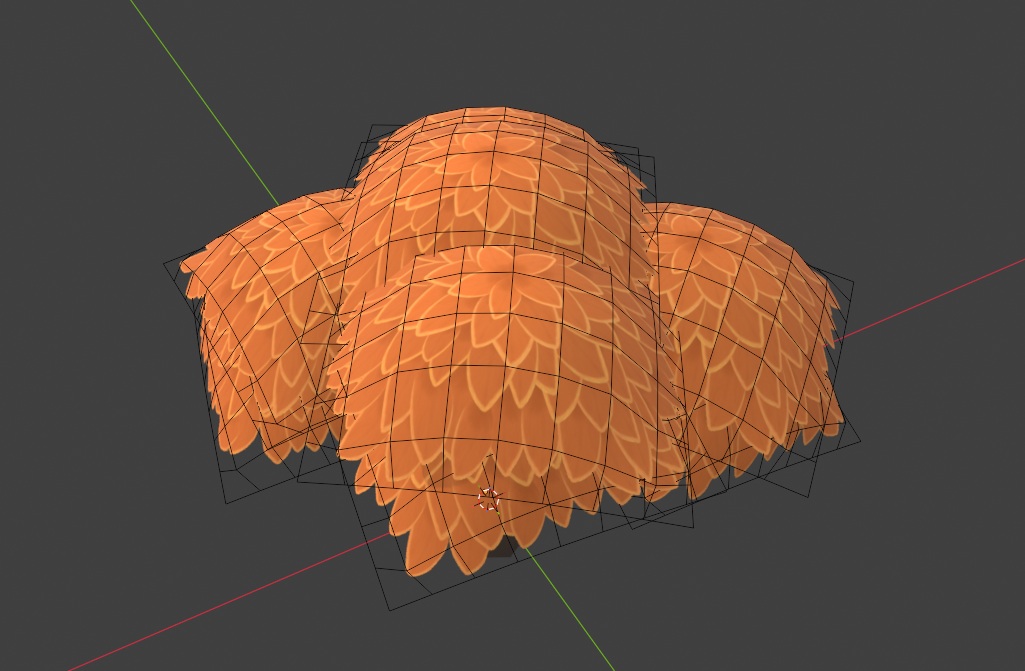
The new trees are done by applying a bushy looking texture representing the tree's leaves onto a grid of quads. I made the texture in Krita.
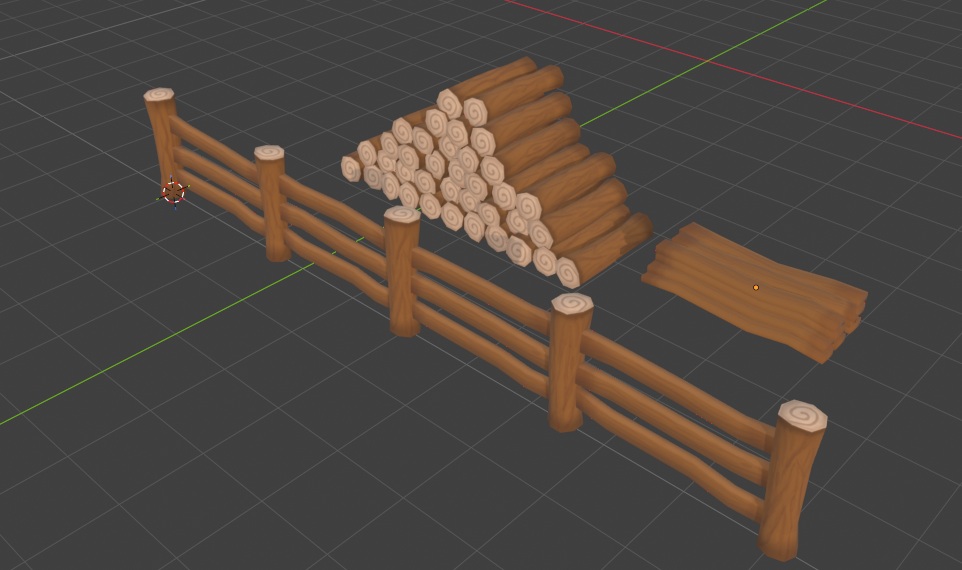
These are some wooden fence assets I made for a future farm area. I wanted to have piles of logs and planks in the scene so that they look like spare construction materials, so I separated the fence parts and piled them up. Quick asset reuse!
Extra Gameplay Features
I've implemented an initial version for a combat system, got some nice extras into the game as well, like a playable guitar, CRPG-style panels that you can toggle and move around (for your inventory, messages from the game, containers etc) and much more.
I will write in detail about these things in the coming months, as they're worth polishing a bit first.
Core Engine & Editor Enhancements
UI Prefabs
In order to show a UI on the screen you need to load a UI asset, which describes the controls that go into said UI.
Up until now, in order to add new controls to a live UI instance, one had to do so via scripting, by creating controls of the types needed, then setting the desired properties, like text, font, size, whatever. Now UI assets can be loaded into live instances as children of existing controls, which essentially works like prefabs but for the UI.
Better mouse picking
Mouse picking entities in the editor used to be done on the CPU and I'll spare you the details of how I was doing it, but it has largely remained unchanged for more than a couple of years.
The increase in the number of entities in the scene paired with the asset refcounting rework meant picking had to be done differently, so I implemented a more "normal" approach, where the renderer has a separate pass where it renders the ID of the entity the current pixel belongs to an integer color buffer, then reads that info back so it can be used for selection and such.
It's much faster, and much more precise, and a big mess in the editor code has now been removed because of it ☺️
Spritesheet Support
Textures can now be sliced into sprites:
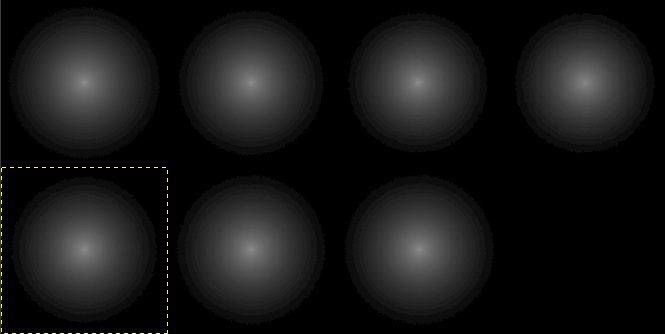
This texture is used to produce...
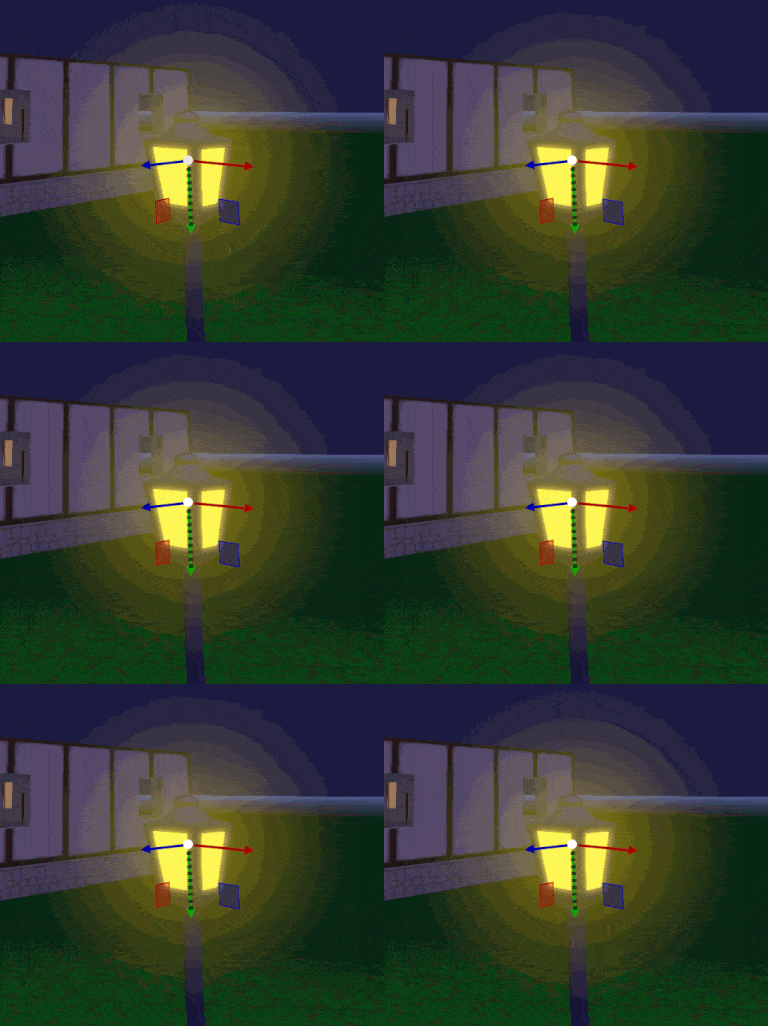
... this halo effect.
There's a new component I wrote for this, called Sprite3D. In it you can set a start and end index in the spritesheet, and the frequency in Hz at which it should animate. The above light halo is obtained with a Sprite3D component, together with a BillboardWithOffset component, to make it always face the camera, and offset it a bit from the origin of the lamp, so that it is always in front of it.
I am looking forward to adding more hand-drawn effects using spritesheets in the future. I will also make it so the UI system can make use of spritesheets for its images, and I am unsure if I'll eventually extend the concept to full blown atlases, rather than "just" rigid spritesheets. We'll see.
Small Engine Bits
I've upgraded to C++23 and got to use some of the stuff in it e.g. std::ranges. clang-tidy has been helpful in pointing out where things could be improved, or where I may have *gasp* made mistakes. I haven't used it until now (CLion introduced it to me).
That's all
I'm going back to work. See you next time!